
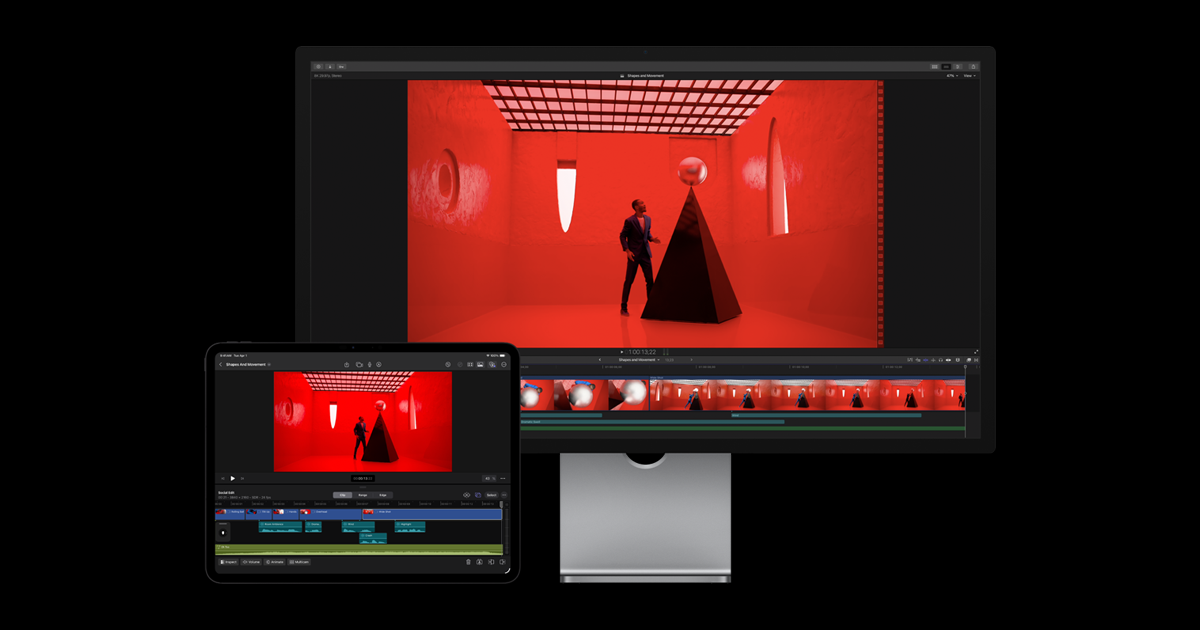
About Apple Final Cut Pro
Final Cut Pro is Apple's flagship professional video editing software designed for creators working on Mac and iPad. The application emphasizes ease of use alongside professional-grade capabilities, positioning itself as an accessible entry point to pro-level video production without sacrificing power or control.
The software integrates Apple Intelligence features throughout its editing interface, marking a significant shift toward AI-assisted workflows in professional video editing. These intelligence features are designed to streamline common editing tasks and decision-making processes, though the specific capabilities are not detailed in available materials. The dual-platform availability—supporting both Mac and iPad—allows editors to work across devices, with iPad support extending professional editing to mobile workflows.
Final Cut Pro is designed for professional video creators and producers who want to maintain full creative control while leveraging modern AI capabilities. The product appeals to studios, independent filmmakers, content creators, and post-production houses already invested in Apple's ecosystem. The emphasis on "pro-quality video creation" suggests it targets users who need broadcast-ready output and professional features rather than casual editors.
The application's strength lies in its tight integration with Apple's hardware ecosystem and operating systems, as well as its comprehensive professional editing toolkit. However, without specific details on the scope of AI features, render speeds, collaboration capabilities, or exact feature parity between Mac and iPad versions, potential users should verify current specifications directly with Apple or through detailed reviews focused on their particular workflow requirements.
![How Alteon is Revolutionizing Remote Workflows for Media Management [NAB 2023]](https://i.ytimg.com/vi/iJ033w1htTg/maxresdefault.jpg)

![LumaFusion's New Multicam Studio Feature: A Unique Way to Edit Videos on iPad [NAB 2023]](https://i.ytimg.com/vi/I4QtSrpiVLU/maxresdefault.jpg)



![Will ChatGPT Content Rank in Google? [Jan 31, 2023]](https://i.ytimg.com/vi/SIntMHfyJQk/maxresdefault.jpg)