
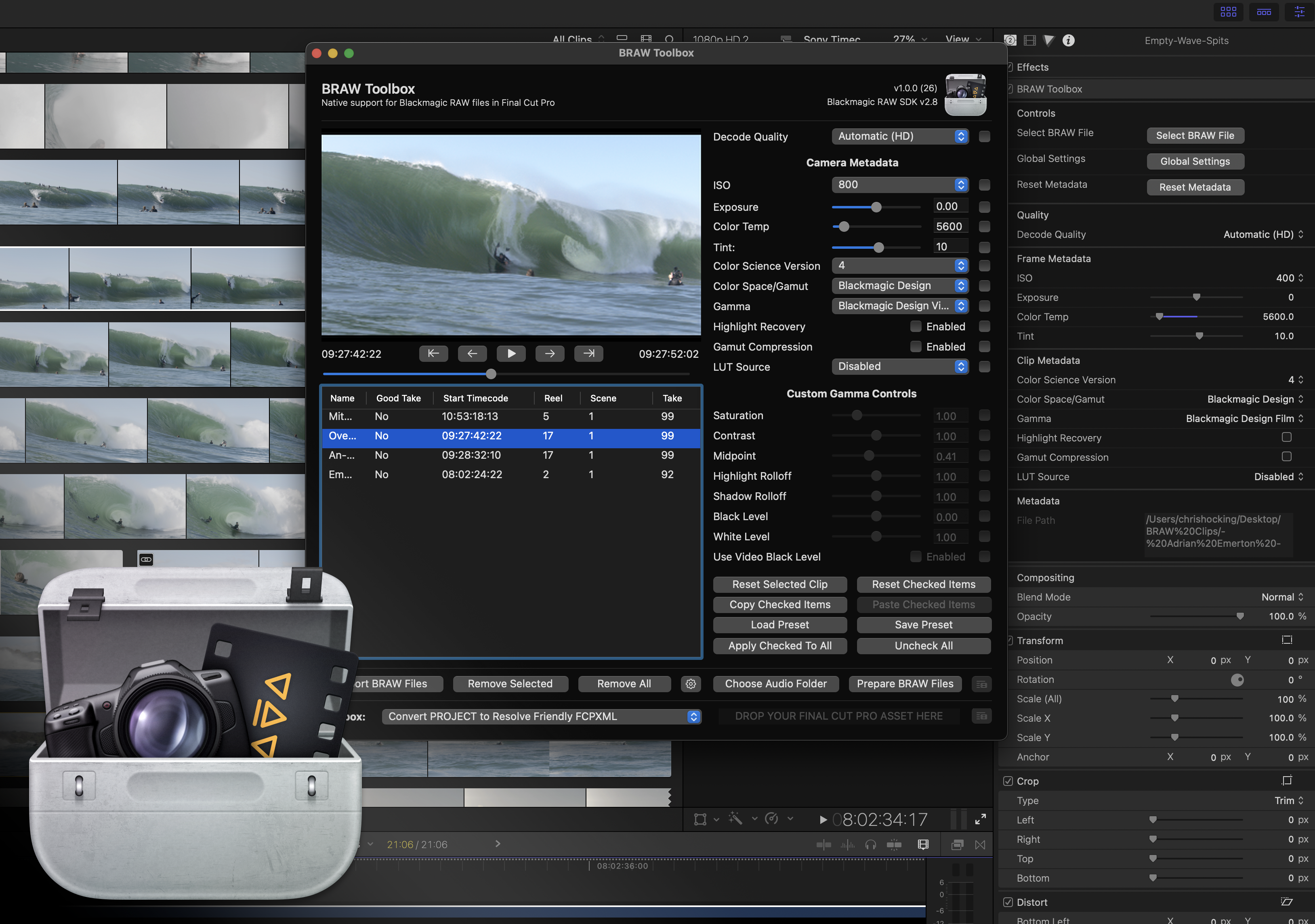
About BRAW Toolbox
BRAW Toolbox eliminates the transcoding bottleneck for Final Cut Pro editors working with Blackmagic RAW footage. Rather than converting BRAW to ProRes or other intermediates—a time-consuming and storage-intensive step—the tool allows direct import and playback of RAW files at full quality, preserving metadata and creative flexibility throughout the edit.
The v3 release introduces a Media Extension that extends RAW compatibility beyond Final Cut Pro. You can now access Blackmagic RAW files natively in QuickTime Player, Compressor, and any third-party application supporting Apple's Media Extensions framework. This means RAW controls travel with your media, not just within a single NLE. The tool also includes Gyroflow stabilization built directly into the Media Extension workflow.
The Workflow Extension lets you batch-prepare footage before import: adjust RAW parameters (ISO, exposure, color temp, tint, gamma) across multiple clips, copy and paste settings between clips, and save presets for recurring metadata configurations. Once in the timeline, RAW parameters remain fully editable and keyframeable, giving you precise frame-by-frame control. BRAW Toolbox includes automatic decode quality optimization for HD and UltraHD projects, with the option to work at lower quality during editing and force full quality on export. The tool also handles Blackmagic URSA Cine Immersive files and supports Immersive Export for Apple Vision Pro.
Used on feature films, TV series, and high-end commercials by over 4,000 Final Cut Pro editors worldwide, BRAW Toolbox is purpose-built for professionals who need RAW flexibility without leaving their NLE or sacrificing performance. Educational pricing is available. Available exclusively on Mac App Store.
![Will ChatGPT Content Rank in Google? [Jan 31, 2023]](https://i.ytimg.com/vi/SIntMHfyJQk/maxresdefault.jpg)