What CRAFTR Actually Does
CRAFTR is a browser extension that layers on top of existing AI platforms, including Sora, Midjourney, Kling, Luma AI, ChatGPT, and Krea. The core idea is prompt engineering organized around filmmaking vocabulary rather than general-purpose text input.
The extension structures prompts into five categories: Subject, Composition, Lighting, Camera, and Style. Real-time syntax highlighting color-codes each section, giving users a visual map of their prompt's structure as they build it. For anyone who has stared at a 200-word run-on prompt trying to figure out which phrase controls the camera angle, this provides immediate visual organization.
Beyond the framework, CRAFTR includes several functional tools. Smart Edit lets users refine prompts in plain English without manual rewriting. Beautify auto-formats messy prompts into clean sections. Expand adds detail, and Simplify strips prompts down to essentials. Roll randomizes selected elements, and Logic applies conditional rules to prompt construction.
The Presets Question
PROMPTR markets CRAFTR with "100+ professional presets" covering camera bodies, lenses, film stocks, and lighting configurations. For creators who want to specify an Arri Alexa look, a RED Komodo look, or Kodak Vision3 500T color science, having those references built into a prompt tool removes the guesswork of translating production knowledge into prompt language.
But presets are not software tools. The actual feature set includes roughly eight to ten distinct capabilities. That is a meaningful product, but it is not the same as having 150 production tools at your disposal. The distinction matters because a prompt formatting extension is a different category of utility than an NLE plugin or a VFX pipeline integration.
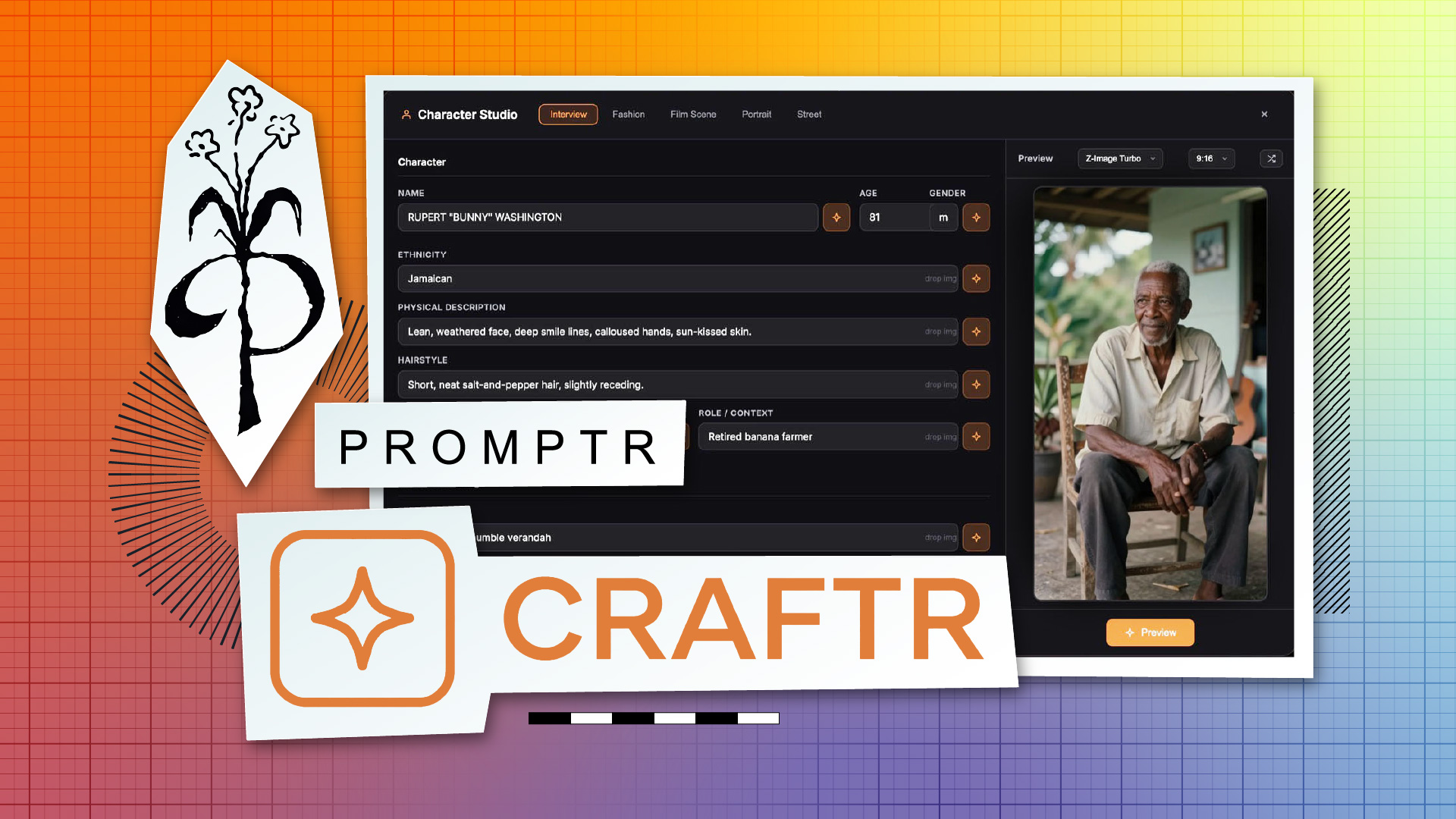
Character Studio and Multi-Shot Consistency
The most notable feature might be Character Studio, which is designed to maintain consistent character descriptions across multiple shots. One of the persistent challenges in AI-generated video is visual continuity, where changing one word in a prompt can shift a character's appearance entirely.
If Character Studio can lock character attributes across a sequence of generations, it addresses a real pain point rather than just a convenience issue. Consistency tools are only as reliable as the underlying generation models allow, but providing a standardized text anchor across different platforms and models offers a baseline for multi-shot workflows.