Blackmagic Releases DaVinci Resolve 21.1.2 With Studio Scripting for Timeline Trims, Silence Removal and Photo Albums
VP Land
Oct 29, 2026 · 3 min read
Blackmagic Design released DaVinci Resolve 21.1.2 with an expanded Studio scripting API that lets scripts make timeline edits such as clip trims and silence removal, according to Digital Production. For pipeline developers, that extends Resolve automation from the asynchronous jobs added in 21.1.1 to clip-level edits, effects and grades.
Scripts can now edit the timeline. The DaVinci Resolve Studio API covers moving, trimming and extending clips, removing gaps and silence, copying attributes, and managing effects and grading parameters.
The Photo page joins the automation. Scripts can organize, grade, render and export albums on the Photo page that arrived with Resolve 21.
The scripting API improvements are Studio-only. They appear among the Studio-only additions in RedShark News' changelog, and the update is free for existing Studio customers.
Projects opened in 21.1.2 can't be reopened in 20.3.2.Blackmagic Design says project libraries stay compatible with 20.3.2, but individual projects created or opened in the new version won't open in the older one.
Blackmagic claims faster AI analysis and graphics playback. IntelliSearch analysis runs up to 14 times faster on Apple M6 systems running macOS 27, the company says, and OGraf playback runs up to four times faster.
Studio scripts now reach timeline edits, grades and the Photo page
Blackmagic's changelog, as published by Newsshooter, lists only "multiple scripting API improvements." Digital Production's breakdown supplies the operations behind that line, which target clip-level timeline edits.
The additions build on Resolve 21.1.1, which added asynchronous APIs for Quick Export, transcription, scene cut detection, Smart Reframe and subtitle creation. That release also gave ApplyGradeFromDRX an option to apply changes to all node layers.
Resolve Studio's scripting supports Python and Lua, and Python scripting moved to the paid Studio edition with Resolve 21.1.
Resolve 21.1 also added AI assistant integration via MCP, which we covered when Claude and ChatGPT assistants arrived to edit across post through conversational commands.
The companion Fusion Studio 21.1.2 release addresses an issue running some Lua scripts and an issue with some scripts on ARM64 systems, per RedShark's changelog.
IntelliSearch speeds up, OGraf reaches Linux and trimming gets new edit-point selection rules
Blackmagic also says IntelliSearch, multicam SmartSwitch and other AI tools run faster on Intel graphics platforms, and Magic Mask caches use less disk space. Digital Production notes the speed figures are Blackmagic's, not its own benchmarks.
Playback of graphics built on the EBU's open OGraf specification runs up to four times faster in the Edit and Fusion pages. Templates gain select and multi-select controls, and responsive templates now adapt to the timeline's aspect ratio.
Linux users gain support for OGraf and Lottie graphics, which Digital Production says makes cross-platform motion graphics a little less dependent on the edit suite's operating system.
Editors also get changes to edit-point selection: selected points take priority, lasso selections can enter dynamic trim automatically, and selecting gaps activates the trim editor. The changelog also adds a current clip indicator option and loudness meters in the edit mixer.
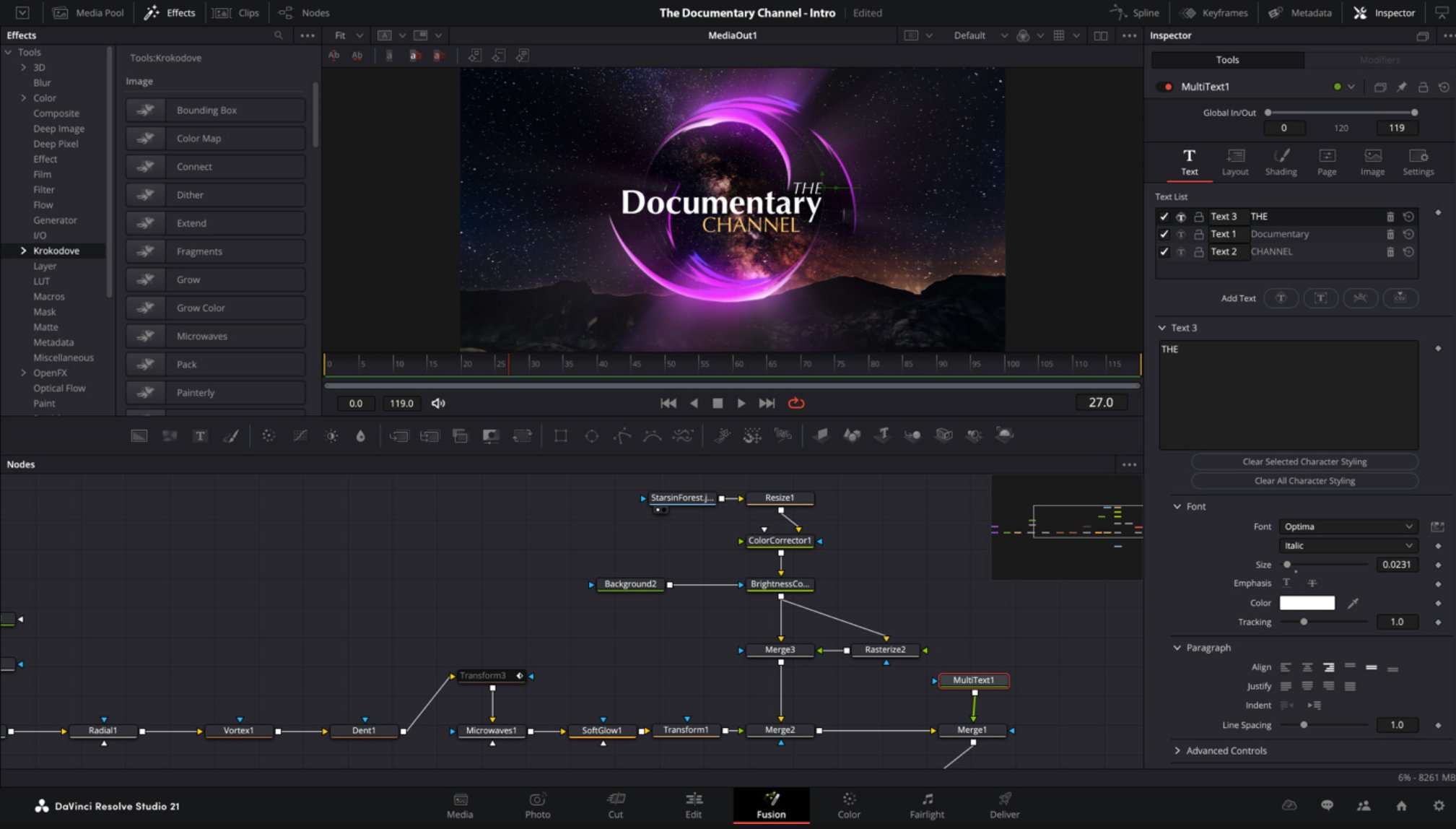
DaVinci Resolve Studio. Image: DIGITAL PRODUCTION
Back up project libraries before moving a pipeline to 21.1.2
Digital Production advises backing up the complete project library and individual projects before upgrading.
The update is available for macOS, Windows and Linux from the Blackmagic Design Support Center, with a free Resolve edition alongside the paid Studio edition.
A free Apple Creator Studio update for existing subscribers builds MotionVFX effects, rotoscoping, tracking and color grading tools into Final Cut Pro for Mac, and adds beta AI assistants to Logic Pro, Keynote, Pages…
Chromagraph Camera, a new $12.99 iPhone app released by Chromatic Applications and built by cinematographer Steve Yedlin with director Rian Johnson, replaces the phone's default image processing with color and texture…
DiffHDR, a research framework from Texas A&M University, Eyeline Labs, and Netflix, converts ordinary 8-bit low dynamic range video into HDR by generating plausible radiance in regions the original footage blew out or…