Maxon Launches Maxon Plus for AI 3D Model Generation and Browser-Based Client Review
VP Land
Nov 23, 2026 · 4 min read
Maxon launched Maxon Plus, a separate cloud subscription that generates editable 3D models from text, photos or sketches, creates textures for existing models and lets clients review 3D work in any browser. Models generated in Cinema 4D arrive as native objects, so the AI output becomes a starting point you keep refining.
Model Generator works inside Cinema 4D. It runs in Cinema 4D 2027.1 or later and on the web, with optional PBR materials up to 8K texture resolution.
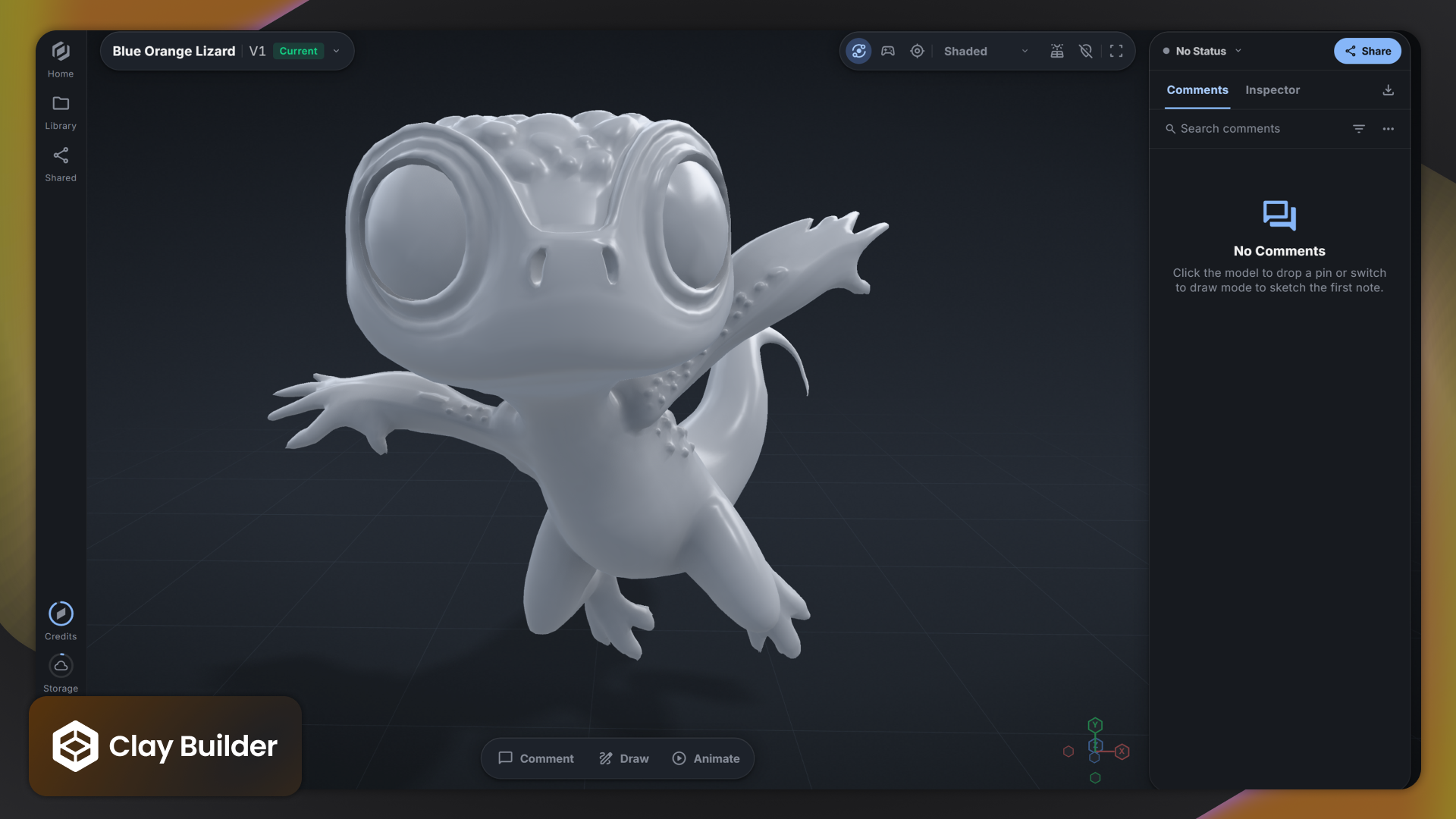
Clay Builder makes sculpting starting points. It produces a simple, untextured base mesh rather than a finished model.
Clients review in a browser. Viewing a Maxon Review link is free, and commenting needs only a free Maxon account.
It's not part of Maxon One. Maxon Plus isn't included with Maxon One, and no other Maxon subscription is required.
AI runs on monthly credits. Starter, Creator and Pro packs each carry a credit allocation that doesn't roll over.
Three AI tools turn prompts, photos and sketches into editable 3D
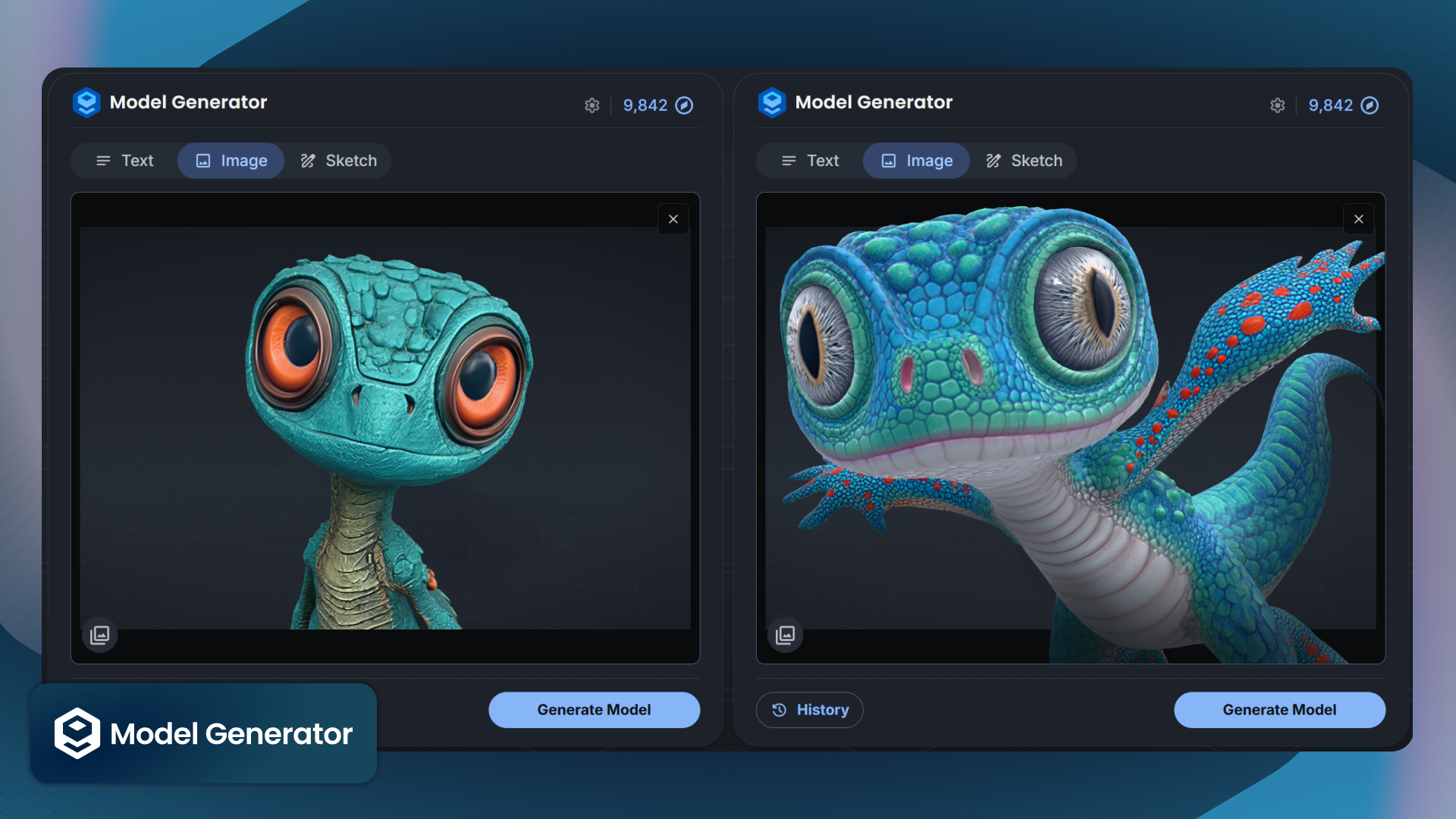
Model Generator turns a text prompt, reference image or browser sketch into concept previews, then builds a 3D model from the one you pick. In Cinema 4D it sits in the Create menu, and the credit cost shows on the button before you run a step.
You can add front, side and three-quarter views for consistency, choose triangles or quads with a target polygon count, and turn on Remesh for clean topology.
Maxon Model Generator displays a reference character image alongside a generated 3D character. Image: Maxon
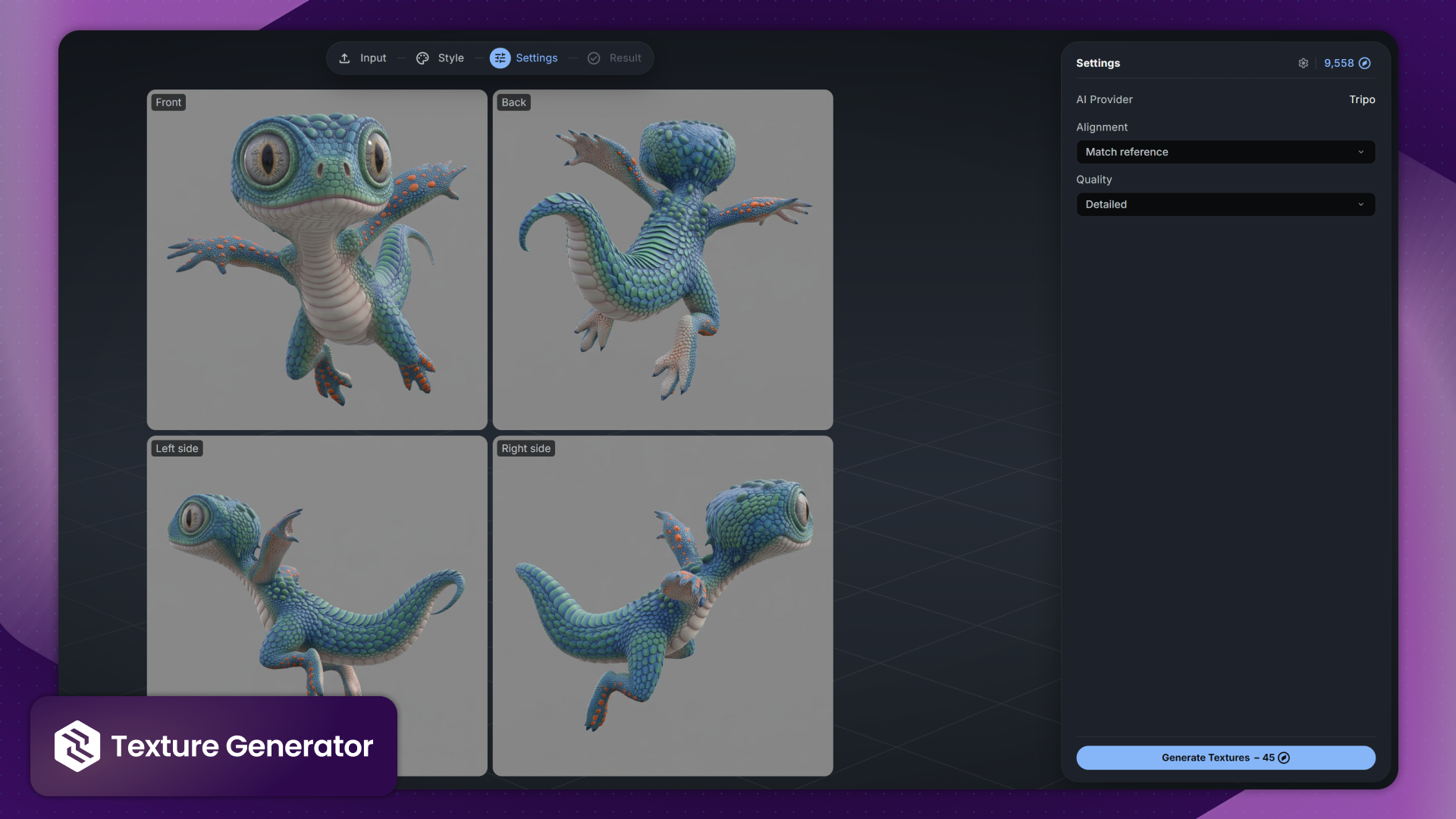
Texture Generator applies new surfaces to an existing model, guided by a prompt or reference image and adjustable camera views. It creates valid UVs for Cinema 4D by default or keeps your existing layout, though Maxon says it doesn't replace manual UV and texture cleanup for final production.
Maxon Texture Generator shows front, back and side views of a textured character. Image: Maxon
Clay Builder uses specialized processing so its output makes a good base for sculpting, on the web or in ZBrush for iPad. Maxon recommends it for a sculpting base and Model Generator for a finished model.
Maxon Clay Builder displays an untextured character base mesh. Image: Maxon
All three run on third-party AI providers that Maxon manages, so you don't need separate accounts.
Maxon Review puts pinned feedback and version comparisons in a browser
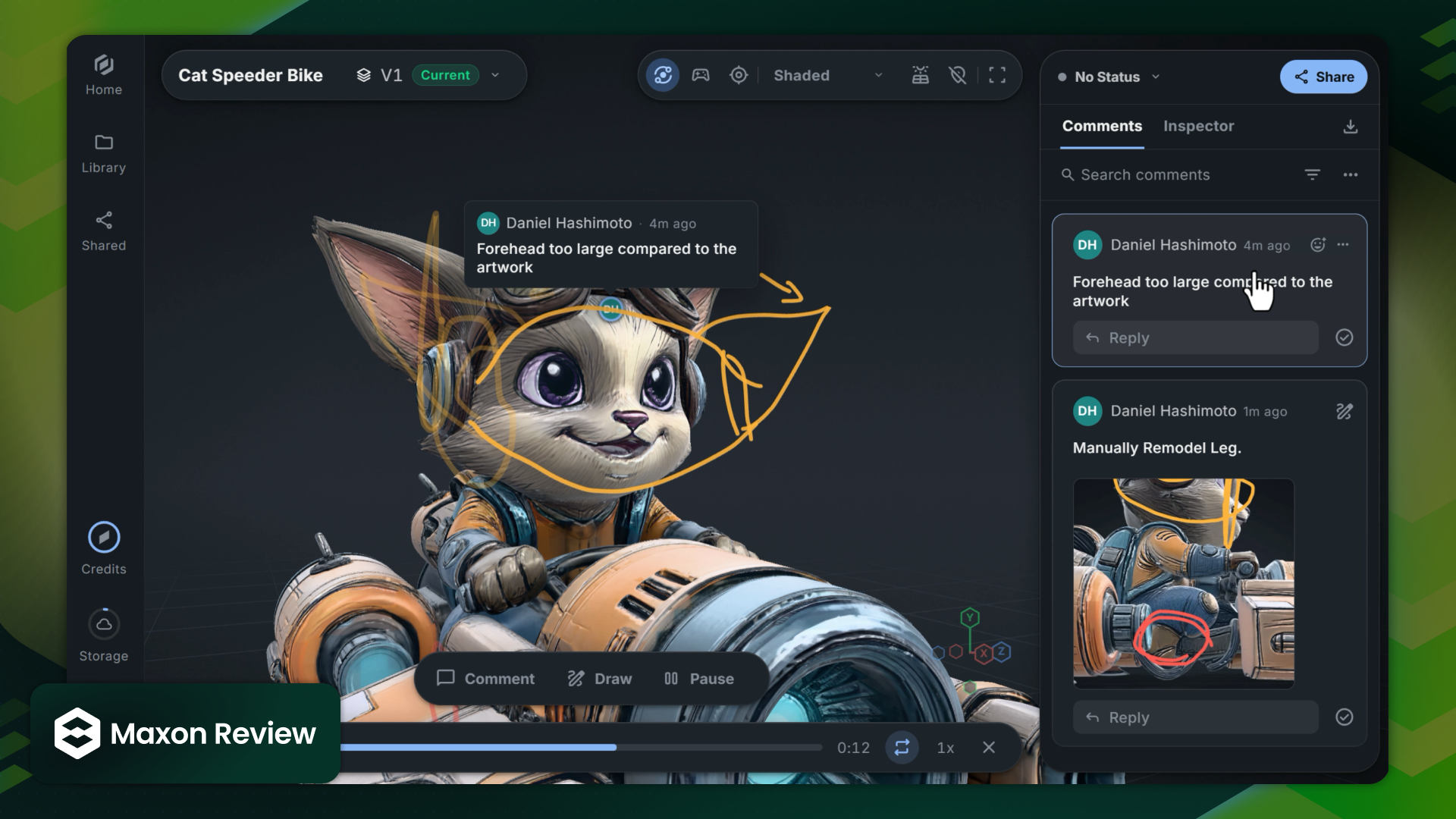
Maxon Review launches as a Public Preview in the Maxon Plus web app. Reviewers can click any part of a model to comment, sketch over it, record a voice note, mention a colleague and mark notes resolved.
They can also open the object tree, isolate parts, check materials, textures and UVs, switch lighting and measure the model. Review handles images and video too.
Versions stack automatically. Each upload saves as a new version with comments kept, and you can compare two side by side, wipe between them or overlay them.
Native projects publish from the apps. Cinema 4D and ZBrush send work through a built-in Review panel, since .c4d and .zbr files can't be uploaded directly. GLB, FBX, OBJ and USD files upload straight to Review.
You control access. Links can carry passwords, expiry dates and download permissions.
Maxon Review shows pinned visual feedback on a 3D character and vehicle. Image: Maxon
During the preview, Review uses no credits and subscribers can invite unlimited viewers, commenters and editors. Maxon says review between Maxon Plus subscribers stays unlimited, that it will notify users when Review starts consuming credits, and that storage allowances may change.
Credit costs vary, AI can be switched off, and cloud rendering is next
Credit cost depends on your input, settings, task complexity and the selected AI provider. Packs stack, started operations can't be canceled, and credits return automatically if a job fails on Maxon's or the provider's side.
Maxon says your data isn't used to train AI models, and you can hide Maxon Plus or disable AI across your account, with Teams administrators able to enforce that. CEO Dave McGovern told Creative Bloq he wants AI to handle "some of the busy work or repetitive, technical aspects" while artists stay in their "artistic zone."
Cloud rendering is coming, launching first for Cinema 4D on iPad. You send a scene to the cloud, track the job and download stills or videos when it's done.
Maxon introduced the Agentic License, a monthly subscription arriving in November 2026 that lets an AI agent run its own headless copy of Cinema 4D or Autograph over MCP. The agent can work on a separate machine while…
Snowglobe, Plot Party's 3D world engine for filmmaking, builds an editable 3D set from one line of text or one image, then lets you block actors, place cameras and send recorded takes to AI video generation, according…
Lemonlight is positioning Hero, which No Film School covers as a new AI production operating system, as a single synced hub that takes a project from a client brief to a treatment, script and storyboard. In Lemonlight…