Adobe Debuts Project Live Set, a Research Preview That Swaps Subjects and Redirects the Camera While AI Video Plays
VP Land
Nov 13, 2026 · 4 min read
Adobe debuted Project Live Set, an early research preview that lets editors change a subject, transform an environment, introduce a reference character or redirect the camera on an existing clip, then see the result in real time as the video keeps playing. Editors can judge and adjust a change mid-scene instead of submitting a prompt and waiting for a new generation, according to Variety.
Changes land while the clip plays. Live Set applies subject, environment, character and camera changes as a scene continues. Variety reports the team at Adobe designed it to be faster than typical generative AI models, which make you wait while they process a new prompt.
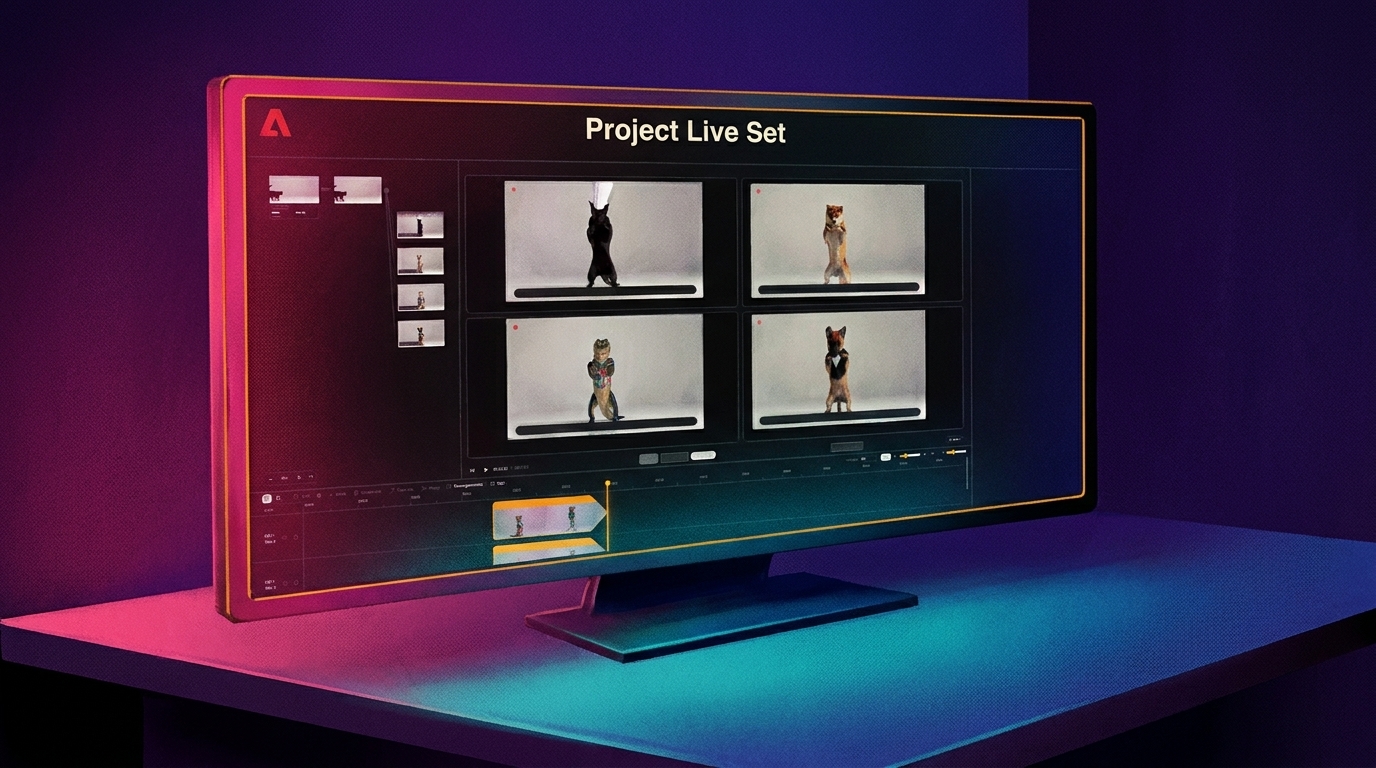
Several takes can run at once. Adobe's demo transforms one black-cat clip with four different prompts simultaneously and previews every result in the editing window.
Text isn't the only control. Videomaker reports you can pause on any frame for precise fixes, redirect the scene by text prompt or voice while it plays, and rewind to an earlier moment.
There is nothing to use yet. Live Set is an early research preview, Adobe isn't sharing details about the underlying models, and Videomaker reports there is no beta to join.
Live Set streams generated video and takes direction mid-scene
Adobe describes the project on its MAX Sneaks blog as a way to "direct a video while it's still playing," making video feel like "a creative canvas that responds in the moment."
The demo starts from a video of a black cat. Four prompts run against it at the same time: "add a chef's hat on the cat," "swap the cat with a shiba inu dog," "swap the cat with an alligator wearing a miami shirt" and "swap the cat with a puppy wearing a tuxedo."
Project Live Set previewing four simultaneous prompt variations of the same clip. Image: Variety
The video streams as it is generated, and you can run several versions side by side, according to Videomaker.
Videomaker also reports Adobe says the tool can generate open-ended video that runs as long as you need, including a livestream, plus a mode that builds a live scene around you with objects and environments that react as you interact with them.
Adobe frames Live Set as a "sketching tool for moving images" for shoots and livestreams
Gautham Mysore, senior principal scientist and leader of Adobe's video and audio research group, said Live Set "will allow creators and filmmakers to generate and edit video at the speed of thought." He added that "a large part of the video creation process is waiting. This breaks creative flow."
Film teams Adobe spoke with said they value seeing results during a shoot, while they can still adjust a take. That pushed the team toward changing a prompt, swapping an object or outfit, or adjusting the camera while the video is being generated.
"We also see possibilities for interactive worlds and livestreams, where creators or audiences could influence a scene as it unfolds," Mysore said.
We previously covered fal Worlds, which also lets creators direct AI-generated worlds in real time.
We saw real-time video restyling at work when we live-tested Lucy 2.5 during a staged shoot.
Mysore called Live Set a "sketching tool for moving images," adding, "We're interested in how filmmakers and other creators would use that live draft, and what they'd want to preserve from it."
Adobe's Labs page makes the same sketching-tool comparison, according to Videomaker, which suggests thinking of Live Set as a fast draft you could later hand off to a more powerful model.
Adobe isn't naming the model, and Sneaks are research rather than product commitments
Mysore said Adobe isn't sharing details about the underlying models at this stage. "The work explores bringing video generation and editing into one continuous experience, so creators can see a result, respond to it and shape what happens next," he said.
Live Set was one of 10 research previews in the Sneaks session. Others included Project Scene Sweep, which carries one edit across cuts and camera angles, and Project On Cue, which lets creators direct when an action happens in generated video.
Sneaks previews are not commitments to future features, but some have shipped. Generate Soundscape, which ships in Adobe Premiere and was co-developed by Adobe Research and the Premiere team, builds four synchronized, editable audio tracks from a video's action and atmosphere.
Relight, another Sneaks alumnus, adds up to three interactive lights to an image and is available in Adobe Photoshop. Adobe has also opened some Sneaks projects for hands-on testing in its Adobe Labs Playground.
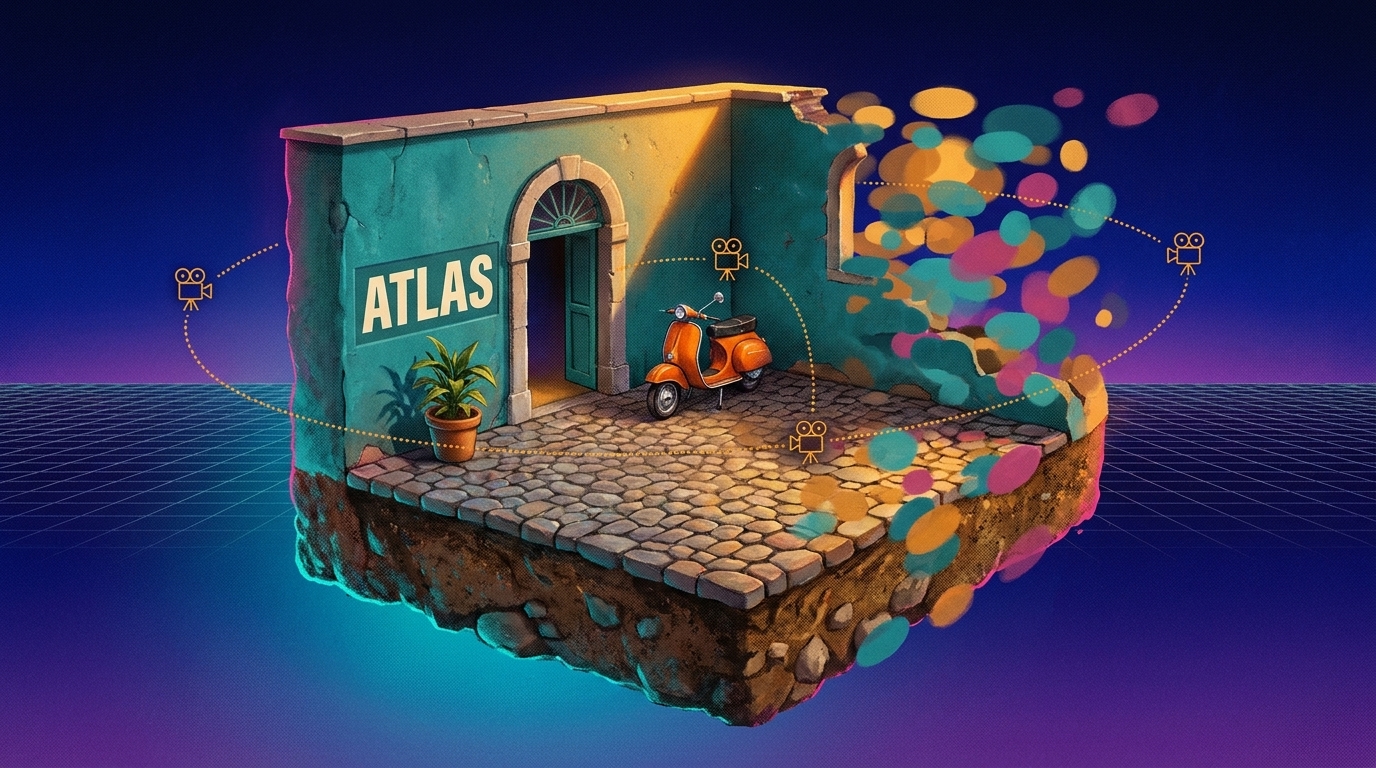
World Labs opened its Atlas world model to the public, adding two web apps, Viewfinder and Chisel, plus the API endpoints that power them, the company posted on X. Anyone can now build a 3D world from a single image,…
MiniMax released H3-Image, an open-weight model that generates 16-megapixel images and edits from up to 16 reference images, claiming 4K generations in 10 seconds in its launch post on X. High-resolution stills and re…
Google has released Gemini 4 Carbon, its new frontier model for long-horizon agent work, to paying developers, enterprises and Google AI Ultra subscribers, alongside a /swarm preview that turns one prompt into a coord…